Collateral inspections built for agricultural lending
Verify a borrowing base in the field — livestock, crops, grain, receivables, and equipment — then generate the finished report before you leave the driveway.
The way this works today
A spreadsheet, a Word template, and a long drive home
Most ag collateral inspections still run on a workbook somebody built years ago and a report template that gets copy-pasted between borrowers. The math lives in cells nobody wants to touch. Last quarter's numbers live in a different file. And the write-up happens at a kitchen table at 9pm, from handwritten notes, days after the count.
It works — until the file breaks, the person who built it leaves, or an examiner asks how you verified what you reported.
Rebuilt every time
Each sector needs different worksheets, so every inspector ends up with their own version of the workbook.
No memory
Comparing this inspection to the last one means opening two files and reading across.
The report is the bottleneck
The count takes hours. Turning it into a document takes days.
How AgBaseline works
Three things a workbook can't do
Worksheets that already know the sector
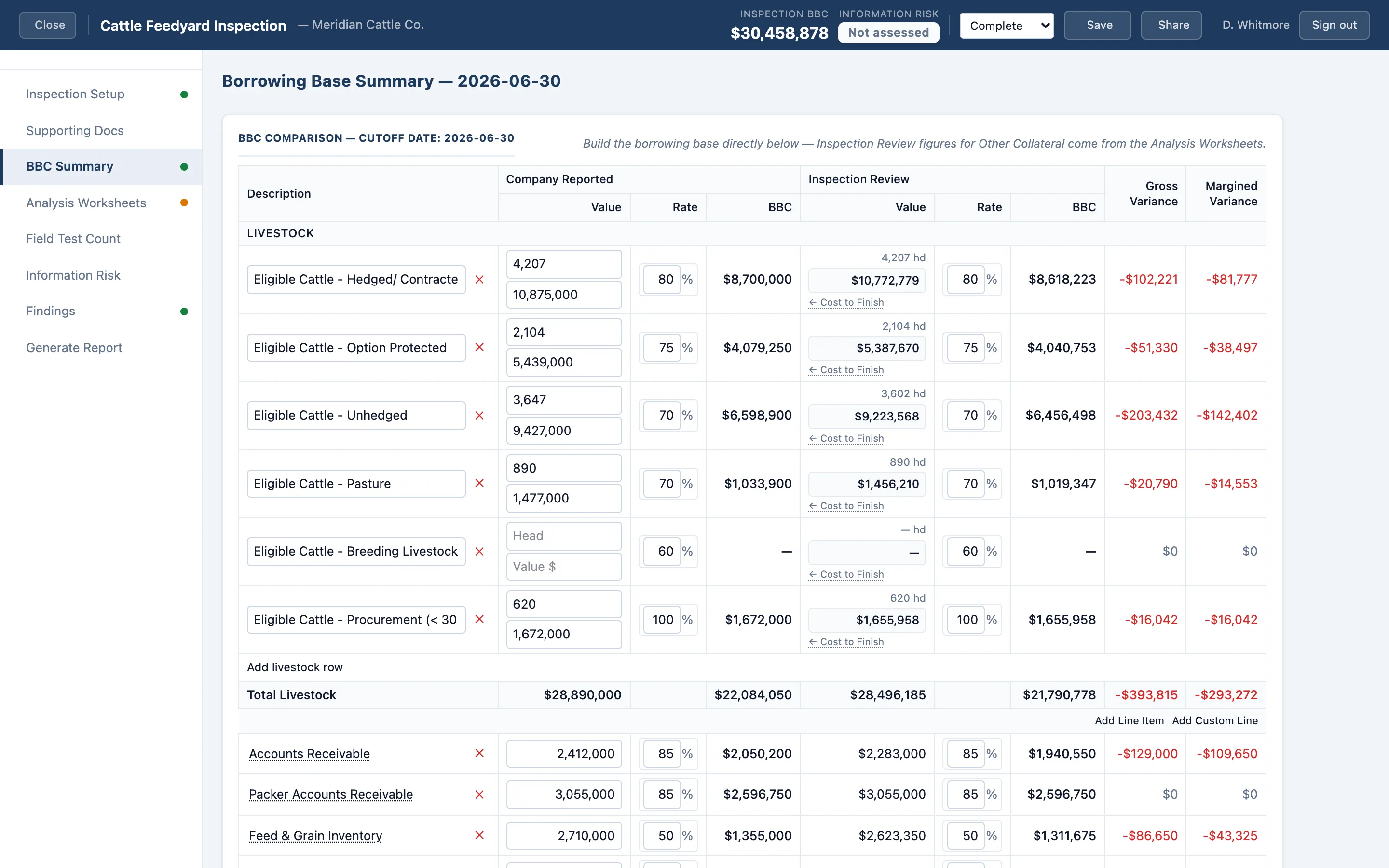
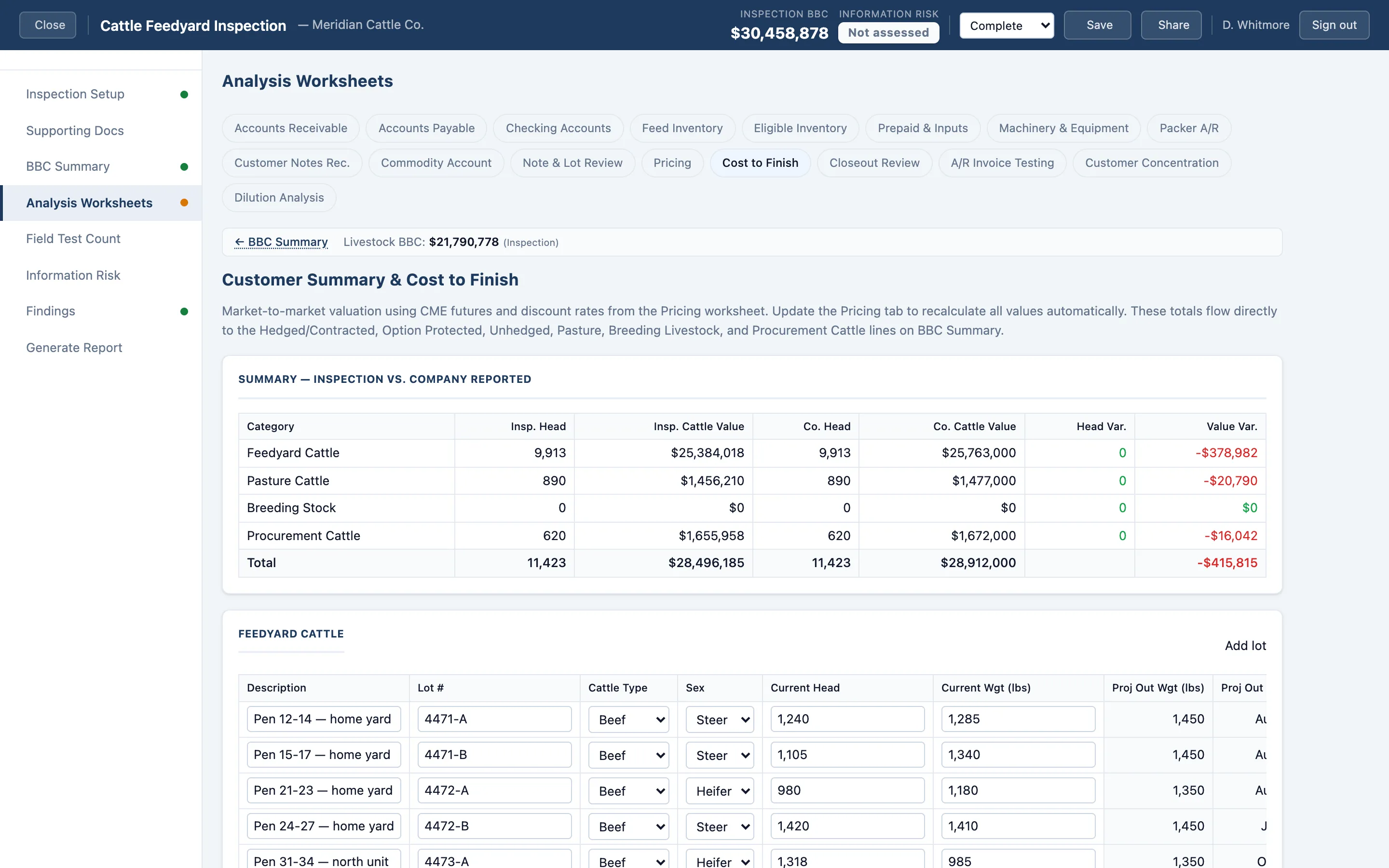
Pick the operation type and the right worksheets are there. Dairy herds by age class. Feedyard lots and closeouts. Cow-calf breeding stock. Swine by production stage. Grain and feed inventory. Receivables with aging, cross-aging, and concentration testing built in — including invoice-level testing and contra payables.
Advance rates, ineligibles, and the borrowing base calculate as you enter. No formulas to maintain, no cells to break.
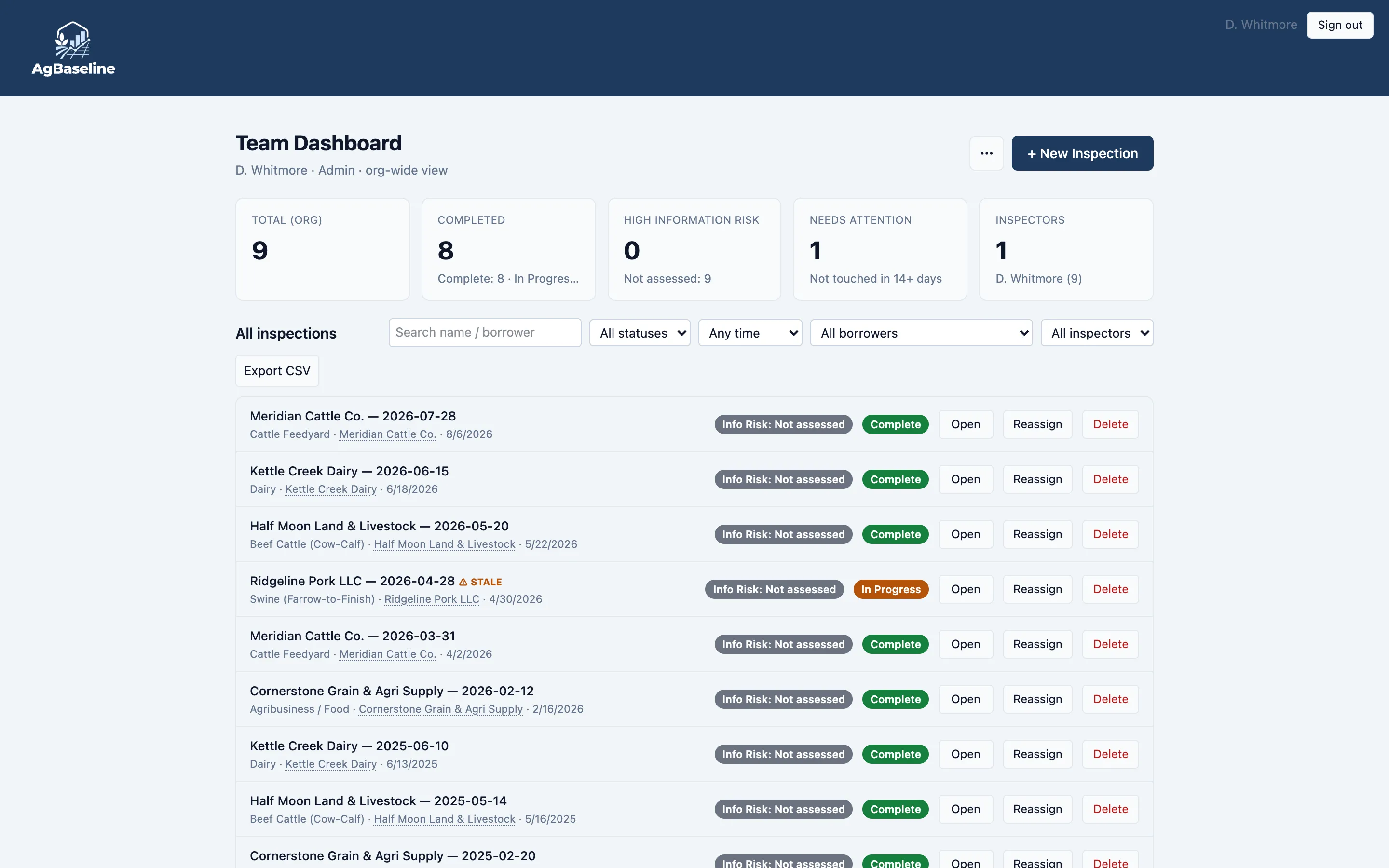
Every inspection remembers the last one
Open a returning borrower and last inspection's structure comes with it — the same lots, the same customers, the same equipment — so you're verifying against a real baseline instead of starting from a blank sheet.
Variances surface as you work, not after you get home.
The report writes itself
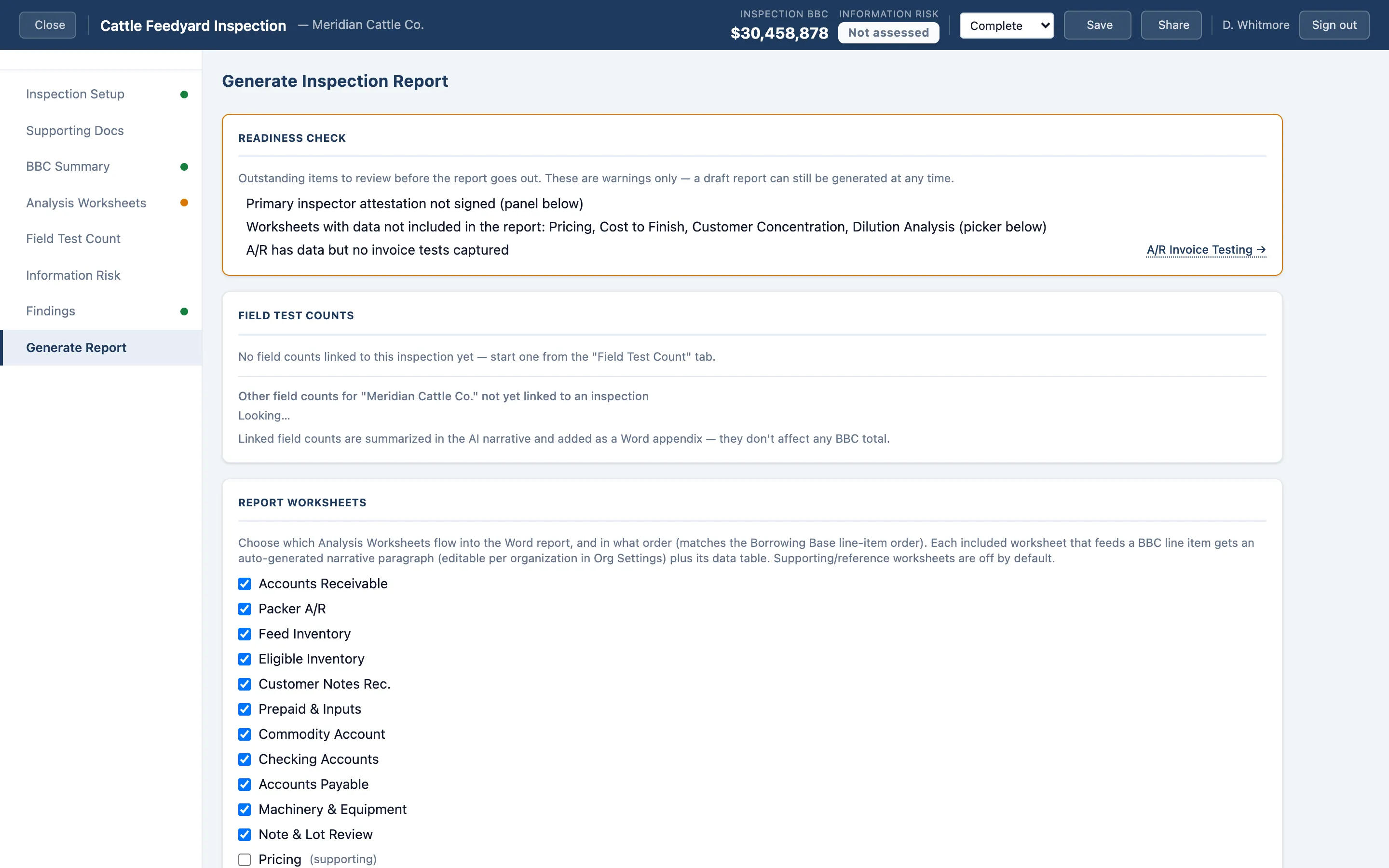
When the count is done, generate a formatted Word report: executive summary, borrowing base detail by category, findings and observations, risk assessment, and appendices. Narrative sections are drafted from the numbers you actually entered, then you edit them like any other document.
Same day, not next week.
Also included
Chattel valuation reports, from the same file
Not every engagement is a borrowing base. AgBaseline also produces fair-market-value chattel evaluation reports — machinery and equipment by year, make, model, serial, and condition, plus livestock and stored crops — delivered as a formatted Word report.
These are evaluations, not USPAP appraisals: the category ag lenders are permitted to have qualified staff perform under their own collateral evaluation policy.
Built for a regulated buyer
Bank-grade from the first line of code
Microsoft Entra identity
Sign-in runs on Microsoft Entra External ID with multi-factor authentication enforced by conditional access policy.
Your data is yours alone
Every record is partitioned by organization and authorized server-side on every request. One tenant cannot read another.
Encrypted, in the United States
TLS in transit, encrypted at rest, on Microsoft Azure infrastructure in US regions.
Every access is logged
Reads, writes, shares, and reassignments are written to an append-only audit trail.
The exam you're actually preparing for
Examiners are asking about collateral more specifically than they used to
The Farm Credit Administration's collateral risk management guidance directs examiners to look at loan volume where borrowers aren't meeting borrowing base requirements, and at credits secured by specialized chattel — while acknowledging that lenders' existing systems often don't capture enough collateral information to answer well. The OCC and FDIC set parallel expectations for banks with ag portfolios.
AgBaseline exists to make that answer easy: a consistent, documented, repeatable inspection file for every borrower, every cycle.
See it against one of your own borrowers
A short working session — bring a real inspection you've already done and we'll walk through what it looks like in AgBaseline.